Is Skool Video Downloader Safe to Use? What It Actually Accesses and Why
A breakdown of every permission Skool Video Downloader requests, what data it collects (none), and what to check on any Skool downloader before you trust it with your account.
Is Skool Video Downloader safe to use? Installing a browser extension that touches a course platform you've paid for is a reasonable thing to be cautious about — it runs inside your browser, on pages where you're logged in, with some level of access to what's happening there. Here's exactly what Skool Video Downloader can see, what it does with it, and how to evaluate any Skool downloader (this one or someone else's) before you trust it.
What permissions it actually requests, and why
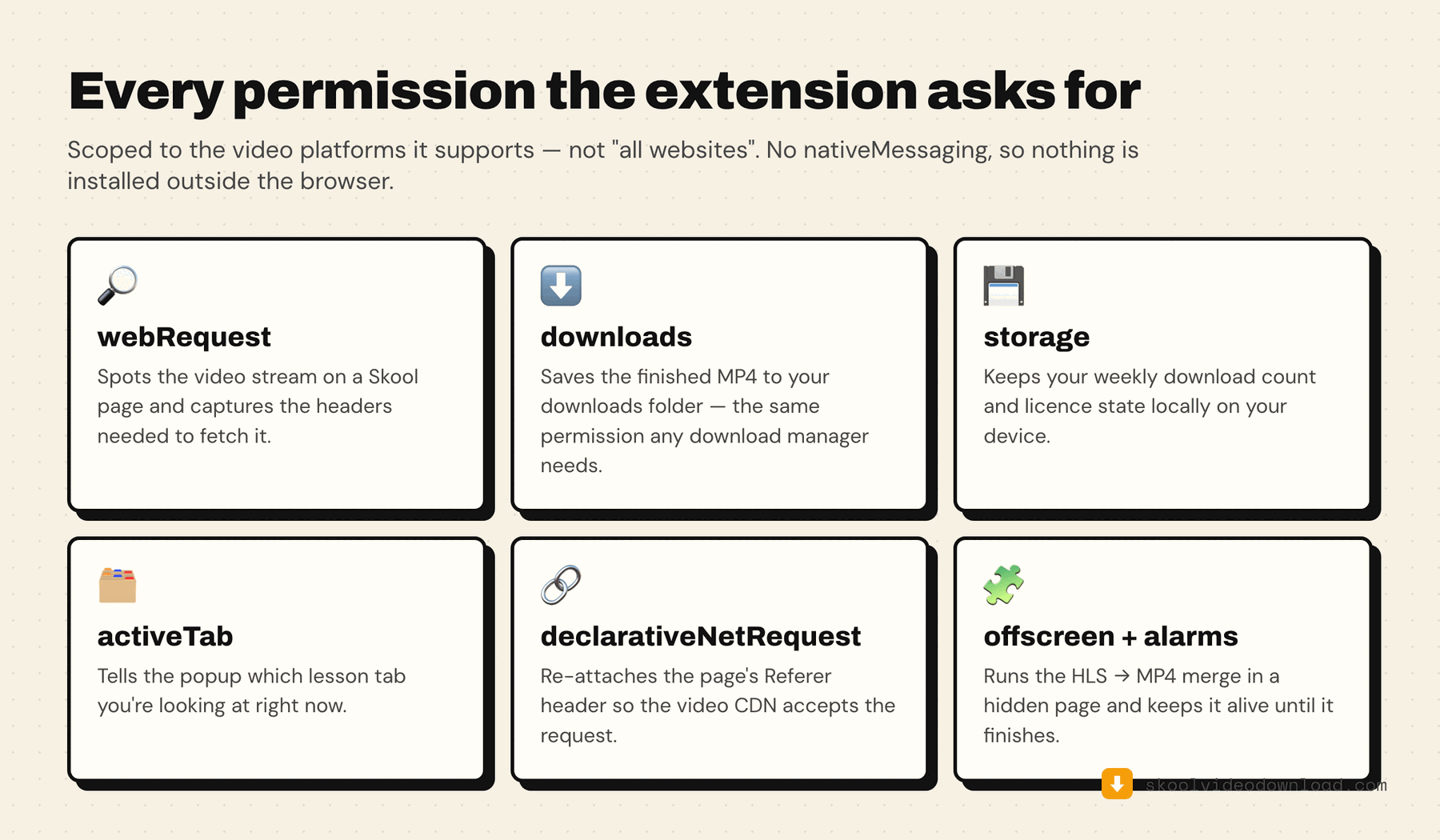
Chrome shows you every permission an extension asks for before you install it. Here's what Skool Video Downloader requests and the specific reason for each one:
webRequest— detects video stream URLs on Skool pages and captures the headers needed to fetch them while you're browsing. This is how it finds a video exists in the first place.storage— stores your weekly download count, license status, and an anonymous install ID locally on your device, so the extension remembers your state between browser sessions.downloads— saves the finished MP4 file to your downloads folder. This is the same permission any download manager needs.tabs/activeTab— reads which tab is active and messages the content script running on it, so the popup knows which lesson you're currently looking at.declarativeNetRequestWithHostAccess— re-attaches the page's Referer header when fetching video segments directly, so the video CDN accepts the requests the same way it would from the normal player.offscreen— runs the bundled video-merging component in a hidden background page to combine HLS video segments into an MP4 entirely on your device.alarms— keeps the background process responsive during downloads and periodically checks whether a Pro license is still valid.host_permissions— scoped specifically to the domains actually involved in detecting and fetching video:skool.com,mux.com,loom.com,vimeo.com,vimeocdn.com,wistia.com,wistia.net, plus the CDN domains those platforms serve video from (akamaized.net,cloudfront.net) and YouTube's domains for the guide-link handoff. Not "all websites" — just the specific hosts involved in the platforms it supports.
Notice what's not in that list: no permission to read your keystrokes, no access to other websites you visit outside those listed domains, no ability to see your Skool password (it never touches password fields at all — it works off your already-authenticated browser session, same as any tab you have open). There's also no nativeMessaging permission — everything runs inside the browser itself, with no separate helper app installed on your computer.
What data leaves your device
None, for the core function. Every claim on this page is checkable — install the extension, open Chrome's Network tab, and watch what it actually does:
- Video streams are fetched directly from Skool, Mux, Loom, Vimeo, or Wistia's servers to your machine and merged locally. They're never routed through, or uploaded to, any server of ours.
- Your Skool login credentials are never read or transmitted by the extension — it uses your browser's existing authenticated session, the same way any tab does.
- The only network calls the extension makes outside of the platform domains above are a periodic, anonymous version check and license validation (for Pro users) — no browsing history, no personal identifiers beyond a random install ID used to enforce the weekly free-tier limit.
Red flags to check on any Skool downloader
- Does it ask for your Skool password directly, instead of using your browser's existing logged-in session? A legitimate downloader never needs your password — it works off the session your browser already has.
- Does it request
<all_urls>host permissions instead of scoping to the specific video platforms it supports? Broad, unexplained host access is worth questioning. - Does it require an email signup before you can use it at all, even for a single free download? That's often a sign the "free" tier is a lead-capture trial rather than genuine functionality — see our comparison of free Skool downloaders for what that looks like in practice.
- Is the source available to inspect? This extension's code is public on GitHub — every permission and every network call is readable, not just described in a listing.
Two related reads if you're still weighing this up: the head-to-head against Downloader for Skool compares both extensions' listings directly, and the honest answer on the legality of downloading Skool videos covers the separate question of whether you should, not just whether it's safe to.